Starting your journey in competitive programming begins with USACO registration. For many students in grades 6–12, this is the first major step toward building a portfolio for top-tier university applications. Unlike many other competitions, USACO is primarily conducted online and open to students worldwide. However, the process involves specific technical setups and strict academic integrity rules that can trip up beginners.
Step 1: Creating Your Official Account
The first phase of USACO registration happens on the official website. You will need a valid email address. The system creates a unique username for you. It is crucial to remember this username, as it is required for all future logins and score tracking. Note that while anyone can compete, only U.S. citizens are eligible for the national team selection for the International Olympiad in Informatics (IOI).
Step 2: Setting Up Your Coding Environment
Before you submit your first problem, you must configure your local development environment. USACO supports three primary languages: C++, Java, and Python. Each has distinct advantages depending on your current skill level.
| Language | Best For | Key Consideration |
|---|---|---|
| Python | Absolute Beginners | Easiest syntax, but slower execution speed may cause timeouts in higher divisions. |
| Java | AP CSA Students | Balanced performance; aligns well with Advanced Placement Computer Science curricula. |
| C++ | Gold/Platinum Aspirants | Fastest execution; essential for complex algorithmic problems requiring optimization. |
If you are unsure which language to choose, consider reviewing our guide on USACO Coding Environment Setup for Windows and Mac. This resource helps you match your local compiler settings with the grader’s expectations, preventing common “runtime error” issues during submission.
Step 3: Understanding the Contest Format
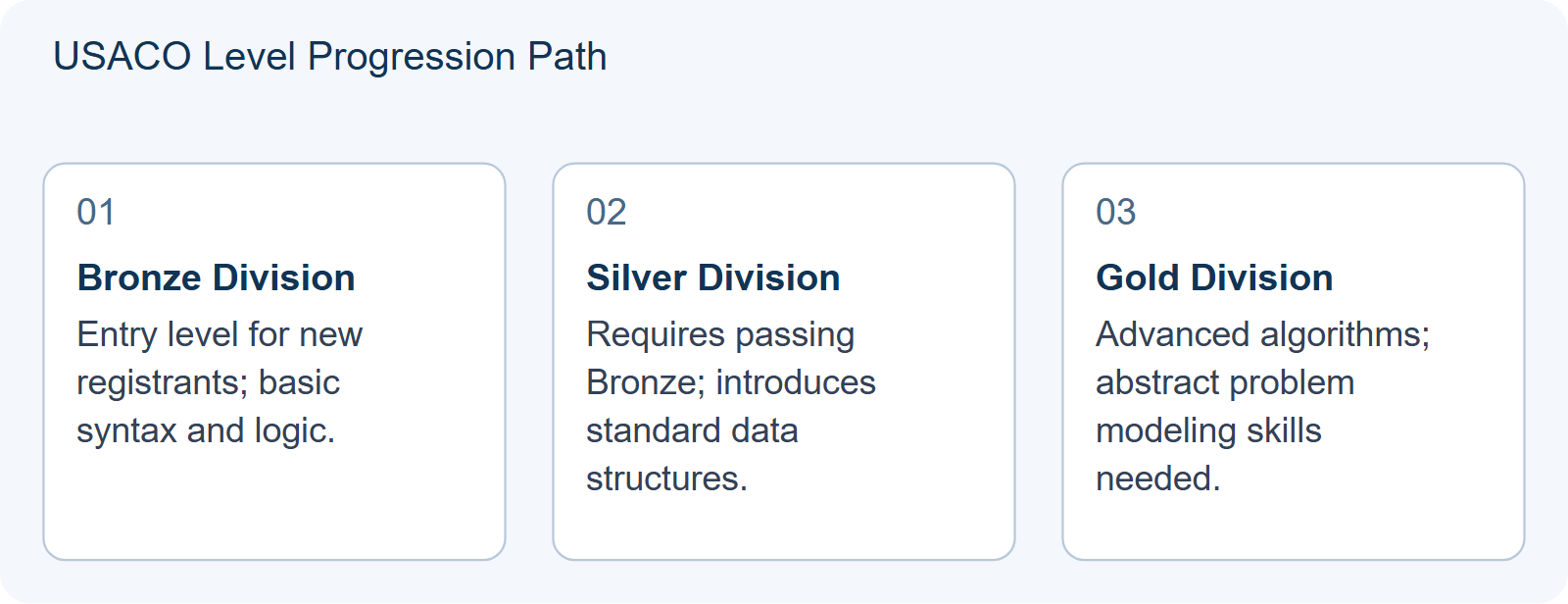
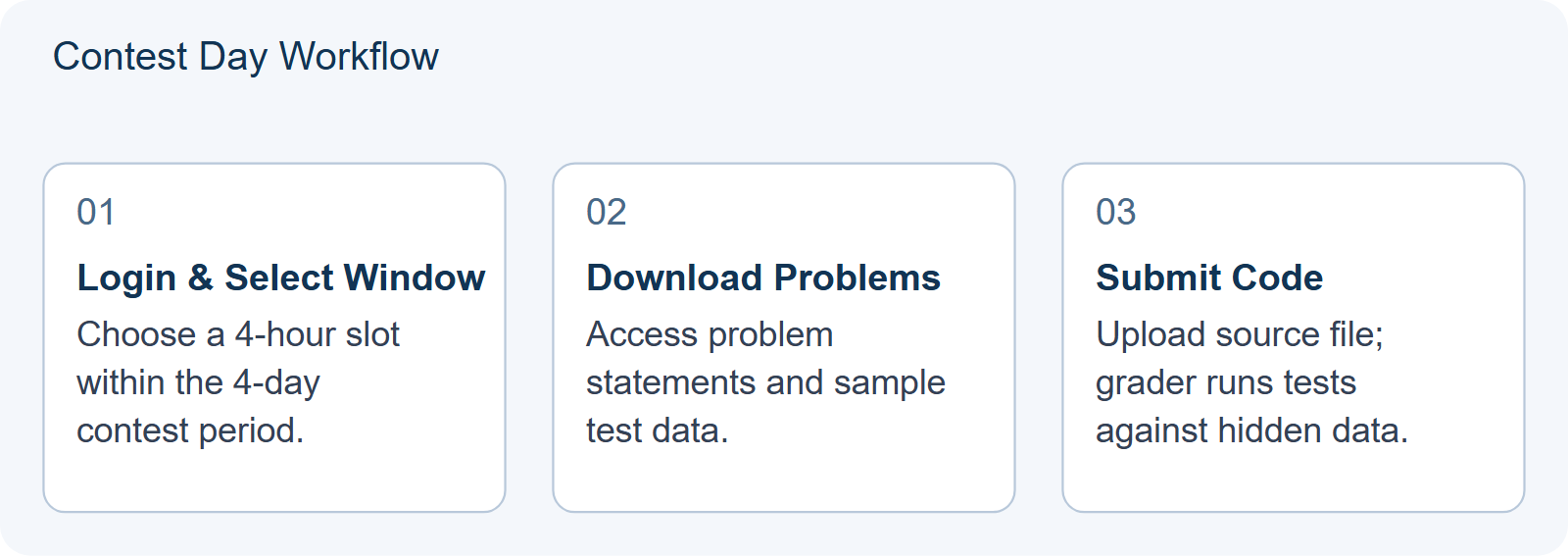
Once registered, you will start in the Bronze division. Progression is merit-based: passing a contest promotes you to the next level (Silver, then Gold, then Platinum) immediately. You do not wait for the end of the season. Each contest opens a four-day window. During this time, you can choose any continuous four-hour block to solve the problems. This flexibility allows you to schedule around school exams or other commitments.
For detailed strategies on managing this time constraint, read How to Choose Which of the Four Contest Windows You Actually Enter. It discusses how to balance preparation intensity with rest before the actual coding session.
Step 4: Practice Submissions and Integrity
Before the official contest, utilize the practice section on the USACO website. These past problems are invaluable for understanding the input/output formats. When submitting code, ensure you handle edge cases correctly. A common mistake is failing to close files properly in C++ or Java, which leads to wrong answers despite correct logic.
Academic integrity is strictly enforced. The use of generative AI tools like ChatGPT or Copilot during contests is prohibited. Violations result in permanent bans. If you are self-studying, focus on understanding the underlying algorithms rather than memorizing solutions. Our article on The Five Shapes of a USACO Bronze Problem breaks down common patterns so you can recognize them independently during the exam.
Preparation Checklist
- Verify your email and save your username securely.
- Install a reliable IDE (Integrated Development Environment).
- Test your compiler with a simple “Hello World” program.
- Solve at least five past Bronze problems under timed conditions.
- Review file I/O requirements for your chosen language.
By following this checklist, you minimize technical friction and maximize your focus on problem-solving. Remember, consistent practice is key to moving from Bronze to Silver efficiently.
HYPOTHETICAL/ILLUSTRATIVE: The “File I/O” Practice Submission Decision
This section presents a hypothetical scenario to illustrate how to apply the technical setup advice from Step 4. Imagine a student named Alex, who has just created their account and configured Python as their primary language. Alex is preparing for their first Bronze contest by attempting a past problem involving reading input from a file named input.txt and writing output to output.txt. This specific task requires strict adherence to file handling protocols, which differ significantly between local testing and the official grader environment.
Alex faces two plausible choices for structuring their code during this practice submission. Choice A involves using standard console input (input()) and print statements (print()) because they are familiar with these functions from school assignments. Choice B involves explicitly opening files using Python’s open() function, reading lines into variables, processing the logic, and then writing results back to the designated output file before closing it properly.
| Decision Factor | Choice A (Console I/O) | Choice B (File I/O) |
|---|---|---|
| Local Testing Ease | High; easy to type inputs manually. | Moderate; requires creating dummy text files. |
| Grader Compatibility | Low; will likely fail due to missing file streams. | High; aligns with common submission formats for C++ and Java. |
| Error Debugging | Harder to replicate grader edge cases. | Easier to test specific file contents locally. |
The decision changes based on the goal of the practice session. If Alex’s objective were merely to verify algorithmic logic in isolation, Choice A might suffice for quick mental checks. However, since the article emphasizes minimizing technical friction during actual contests, Choice B is superior. The critical insight here is that the grader does not interact with the console; it interacts exclusively with files. By choosing Option B, Alex forces themselves to confront the mechanical aspects of the competition early. This prevents the common pitfall where correct logic yields zero points because the program never wrote to the expected output location or failed to close the file handle, resulting in truncated data.
To make this choice effectively, Alex should create a small template script. This template includes the necessary import statements, the file opening commands, and the closing commands. During practice, Alex runs the script against sample data provided in the problem description. If the output file remains empty or contains incorrect formatting, Alex knows immediately that the issue lies in the I/O mechanism, not the core algorithm. This separation of concerns allows for faster debugging. It transforms a potential contest-day panic into a routine check.
A reusable self-check for any future practice submission is to ask: “Does my code physically touch the required filenames?” Before submitting to the practice portal, verify that every input read comes from the specified file and every output write goes to the specified file. Ensure that all file objects are closed at the end of the script. If you are using C++ or Java, confirm that your file streams are flushed or closed correctly. This simple verification step ensures that your technical setup aligns with the grader’s expectations, allowing your algorithmic skills to be evaluated fairly without being obscured by configuration errors.
Frequently Asked Questions
Is there a fee for USACO registration?
Please consult the official USACO website for the most up-to-date information on registration and participation policies.
Can non-US citizens participate in USACO?
Yes, students of any nationality can register and compete. However, only US citizens are eligible for the IOI national team selection.
What happens if I fail a contest?
You remain in your current division. You can try again in the next contest window. There is no penalty for attempting and failing.